Recovering 102,000 WhatsApp messages with no backup: the iOS injection technique every recovery tool fails to mention
How to restore WhatsApp chats from a Mac Desktop leftover to iPhone with no iCloud, no iTunes backup, and no paid recovery tool. Solution-first, with the six Android dead ends that do not work in 2026.
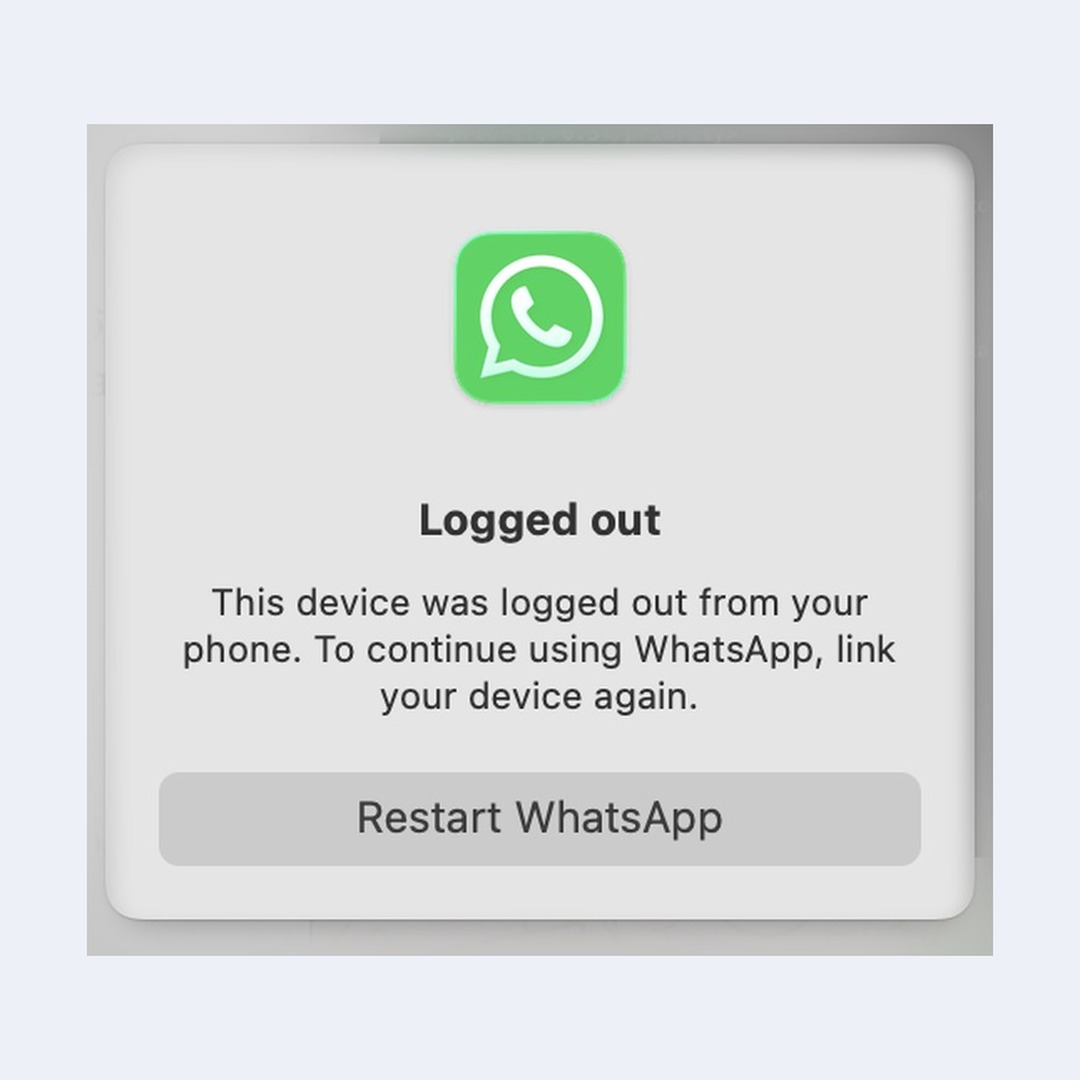
Emergency: If WhatsApp Desktop on your Mac is showing “Logged out” right now, stop. Do not click Restart. First, copy
~/Library/Group Containers/group.net.whatsapp.WhatsApp.shared/somewhere safe. That directory is the only thing standing between you and permanently losing your chats. Come back and read the rest after.
My iPhone stopped pushing WhatsApp notifications. For two weeks. I toggled every setting Apple has. Notification permissions, Focus mode, iCloud sign-out, network reset, full reboot. Nothing. Two weeks of people thinking I was ghosting them.
Day fourteen. I am in a bathtub. Yes, a bathtub. I do cold showers. Max cold, from the first second, no easing in. Have been for two years. Taking a bath is already a sign something is off. And in that rare moment of warm water and poor judgment, my one functional brain cell says: just reinstall WhatsApp.
So I do. No iCloud backup. I knew there was no backup. WhatsApp had been warning me for months that the backup was too large for my free iCloud storage. I had been ignoring it because I was not paying Apple 3 euros a month just to back up a chat app. That was a great financial decision.
Ten years of chats, 102,146 messages, 419 conversations. Gone in the time it takes to tap “Delete App.”
I got them back. Four hours, zero dollars, one Python script. Every recovery tool and every Apple Community thread says this is impossible. They are wrong.
- TL;DR, the working method
- The situation
- The iOS backup injection that works
- How iOS backups are structured
- The injection recipe
- The injection script
- The Finder restore
- The WhatsApp first launch
- What survives, what does not
- Checklist if you just lost your chats
- Why this works
- Android dead ends
- Things I ruled out explicitly
- Side effects of unencrypted restore
TL;DR, the working method
If WhatsApp Desktop on your Mac is still open and logged in, and you are on iOS, six steps:
- Do not touch WhatsApp Desktop. Do not click “Restart WhatsApp”. Do not re-link your iPhone in Linked Devices. Either action nukes the Mac’s local cache.
- Copy the Mac container out now.
~/Library/Group Containers/group.net.whatsapp.WhatsApp.shared/hasChatStorage.sqlitein the exact iOS Core Data format the iPhone uses. - Take an unencrypted Finder backup of the iPhone. Duplicate the backup folder somewhere safe before touching it.
- Run the Python script below to patch
Manifest.dband swap in yourChatStorage.sqlite. - Restore the modified backup via Finder. Phone returns to the state of the backup you took ten minutes ago, plus your chats.
- Re-verify your phone number in WhatsApp. It detects the pre-existing
ChatStorage.sqliteand prompts to restore. Tap Restore.
Free. No jailbreak. No paid tool. Works on iOS 17, 18, and 26. Jump to the code if you want to start now. Jump to Android dead ends if you tried that route and want to know why it is hopeless.
The situation
WhatsApp Desktop was still open on my Mac. When I reinstalled WhatsApp on iOS and skipped the iCloud restore (no backup existed), the phone account got wiped. Desktop was still technically linked to the old session. I had not yet clicked “Restart WhatsApp” to log it out.
The Mac container still had everything:
~/Library/Group Containers/group.net.whatsapp.WhatsApp.shared/
├── ChatStorage.sqlite          # 79 MB, every message I ever sent or received
├── ContactsV2.sqlite           # LID to phone number mapping
├── Axolotl.sqlite              # Signal protocol keys (device-tied, unusable)
├── LocalKeyValue.sqlite        # session state
├── Message/Media/              # 12 MB of thumbnails
└── Library/Caches/MediaDownload/*.enc  # encrypted media blobs
ChatStorage.sqlite is a standard iOS Core Data SQLite database. Tables prefixed ZWA*. Messages in ZWAMESSAGE. Chats in ZWACHATSESSION. Timestamps in Core Data seconds since 2001-01-01. Open it with sqlite3, query every message with a two-line SELECT.
The problem: how do you get that file onto an iPhone that refuses to give you filesystem access to any app’s sandbox?
The iOS backup injection that works
Here is the beautiful thing. The Mac WhatsApp Desktop’s ChatStorage.sqlite is not “similar” to the iPhone’s format. It is identical. Same Core Data schema. Same model version (Z_VERSION=1). Byte-identical ZWAMESSAGE column layout.
And iOS backups made via Finder? Not encrypted by default. The file index (Manifest.db) is a plain SQLite database. File blobs are stored on disk keyed by SHA-1 hashes. Everything you need to surgically replace one file.
This is the technique forks of residentsummer/watoi have been quietly using for Android-to-iOS WhatsApp transfers since 2018. I did not see it written up as a recovery technique for the Mac Desktop case, so here it is.
How iOS backups are structured
Finder writes an unencrypted backup to ~/Library/Application Support/MobileSync/Backup/<UDID>/:
<UDID>/
├── Info.plist         # device metadata
├── Manifest.plist     # backup metadata, including IsEncrypted flag
├── Manifest.db        # SQLite index: maps fileID to domain+path+metadata
├── Status.plist       # backup state
└── <xx>/              # 256 subdirectories, first 2 hex chars of fileID
    └── <fileID>       # raw file contents, keyed by SHA-1 of domain-relativePath
Manifest.db has a Files table: fileID, domain, relativePath, flags, file. The file column is an NSKeyedArchiver binary plist with file metadata (size, mode, timestamps, protection class). The fileID is SHA1(domain + '-' + relativePath), stable across backups for the same file.
WhatsApp’s shared container lives at domain AppDomainGroup-group.net.whatsapp.WhatsApp.shared. ChatStorage.sqlite is right there.
The injection recipe
- Take an unencrypted Finder backup. If “Encrypt local backup” is on, toggle it off (needs the current password).
- Copy the entire backup folder somewhere safe before touching anything.
- Move the safety copy out of
~/Library/Application Support/MobileSync/Backup/so Finder does not list it as a duplicate. - Edit
Manifest.dbto update theChatStorage.sqlitefile size, then overwrite the blob with the Mac container’sChatStorage.sqlite. - Clean up any
-walor-shmcompanion entries so they do not replay stale state over your injected database. - Restore the modified backup via Finder.
Note: “The contents of this iPhone will be erased” sounds terrifying. It is not a factory reset. The end state is the phone at the moment you took the backup, plus your chats. You lose only what happened between taking the backup and finishing the restore. If you do not touch the phone during that window, you lose nothing.
The injection script
Auto-detects your backup folder and source database. No paths to edit. Works on any Mac with Python 3.
#!/usr/bin/env python3
"""
inject_chatstorage.py

Inject a source ChatStorage.sqlite into an unencrypted iPhone Finder backup.
Only touches the WhatsApp ChatStorage blob and its Manifest.db row.
Everything else in the backup stays untouched.

Auto-detects:
  * The most recently modified backup under
    ~/Library/Application Support/MobileSync/Backup/
  * The Mac WhatsApp Desktop ChatStorage.sqlite under
    ~/Library/Group Containers/group.net.whatsapp.WhatsApp.shared/

Override:
  --backup /path/to/specific/backup-folder
  --source /path/to/specific/ChatStorage.sqlite
  or set IPHONE_BACKUP_DIR and SOURCE_DB environment variables.

Usage:
    python3 inject_chatstorage.py
    python3 inject_chatstorage.py --yes          # skip confirmation
    python3 inject_chatstorage.py --backup ... --source ...
"""
import argparse
import os
import plistlib
import shutil
import sqlite3
import sys
import time
from pathlib import Path

HOME = Path.home()
DEFAULT_BACKUP_ROOT = HOME / "Library" / "Application Support" / "MobileSync" / "Backup"
DEFAULT_SOURCE = (
    HOME / "Library" / "Group Containers"
    / "group.net.whatsapp.WhatsApp.shared" / "ChatStorage.sqlite"
)
DOMAIN = "AppDomainGroup-group.net.whatsapp.WhatsApp.shared"
RELPATH = "ChatStorage.sqlite"


def find_latest_backup(root: Path) -> Path:
    """Return the most recently modified iPhone backup folder under root."""
    if not root.is_dir():
        sys.exit(f"Backup root not found: {root}")
    candidates = [
        p for p in root.iterdir()
        if p.is_dir() and (p / "Manifest.db").is_file()
    ]
    if not candidates:
        sys.exit(f"No backups containing Manifest.db found in {root}")
    candidates.sort(key=lambda p: (p / "Manifest.db").stat().st_mtime, reverse=True)
    return candidates[0]


def blob_path(backup: Path, file_id: str) -> Path:
    return backup / file_id[:2] / file_id


def patch_bplist_size(bplist_bytes: bytes, new_size: int) -> bytes:
    """
    The Files.file column is an NSKeyedArchiver-serialized MBFile.
    Decode, patch Size in the MBFile dict, re-encode as a binary plist.
    plistlib preserves the NSKeyedArchiver structure on round-trip.
    """
    plist = plistlib.loads(bplist_bytes)
    for obj in plist["$objects"]:
        if isinstance(obj, dict) and "Size" in obj:
            obj["Size"] = new_size
            now = int(time.time())
            if "LastModified" in obj:
                obj["LastModified"] = now
            if "LastStatusChange" in obj:
                obj["LastStatusChange"] = now
            return plistlib.dumps(plist, fmt=plistlib.FMT_BINARY)
    raise RuntimeError("MBFile Size field not found in Manifest.db bplist")


def main() -> None:
    parser = argparse.ArgumentParser(description=__doc__, formatter_class=argparse.RawDescriptionHelpFormatter)
    parser.add_argument(
        "--backup", type=Path,
        default=os.environ.get("IPHONE_BACKUP_DIR"),
        help="Specific backup folder (default: auto-detect latest under MobileSync/Backup)",
    )
    parser.add_argument(
        "--source", type=Path,
        default=os.environ.get("SOURCE_DB"),
        help="Source ChatStorage.sqlite (default: Mac WhatsApp Desktop container)",
    )
    parser.add_argument("--yes", action="store_true", help="Skip confirmation prompt")
    args = parser.parse_args()

    source = Path(args.source) if args.source else DEFAULT_SOURCE
    if not source.is_file():
        sys.exit(
            f"Source ChatStorage.sqlite not found: {source}\n"
            f"Pass --source /path or set SOURCE_DB env var."
        )

    backup = Path(args.backup) if args.backup else find_latest_backup(DEFAULT_BACKUP_ROOT)
    if not (backup / "Manifest.db").is_file():
        sys.exit(f"Manifest.db not found inside backup: {backup}")

    with open(backup / "Manifest.plist", "rb") as f:
        if plistlib.load(f).get("IsEncrypted", False):
            sys.exit(
                "This backup is encrypted. Disable 'Encrypt local backup' "
                "in Finder and take a new backup."
            )

    source_size = source.stat().st_size
    print(f"Backup folder:  {backup}")
    print(f"Source DB:      {source}")
    print(f"Source size:    {source_size:,} bytes ({source_size / (1024 * 1024):.1f} MB)")

    if not args.yes:
        reply = input("Proceed with injection? [y/N]: ").strip().lower()
        if reply not in ("y", "yes"):
            sys.exit("Aborted.")

    mdb = sqlite3.connect(backup / "Manifest.db")
    mdb.row_factory = sqlite3.Row

    row = mdb.execute(
        "SELECT fileID, file FROM Files WHERE domain=? AND relativePath=?",
        (DOMAIN, RELPATH),
    ).fetchone()
    if not row:
        sys.exit(
            "ChatStorage.sqlite not found in backup Manifest.db. "
            "Is WhatsApp installed and registered on the phone?"
        )

    new_bplist = patch_bplist_size(row["file"], source_size)
    mdb.execute("UPDATE Files SET file=? WHERE fileID=?", (new_bplist, row["fileID"]))

    target = blob_path(backup, row["fileID"])
    target.parent.mkdir(parents=True, exist_ok=True)
    shutil.copy2(source, target)

    stale = mdb.execute(
        "SELECT fileID, relativePath FROM Files WHERE domain=? "
        "AND (relativePath=? OR relativePath=?)",
        (DOMAIN, "ChatStorage.sqlite-wal", "ChatStorage.sqlite-shm"),
    ).fetchall()
    for s in stale:
        p = blob_path(backup, s["fileID"])
        if p.exists():
            p.unlink()
        mdb.execute("DELETE FROM Files WHERE fileID=?", (s["fileID"],))

    mdb.commit()
    mdb.close()

    print(f"\nInjected {source_size:,} bytes into {row['fileID']}")
    print(f"Removed {len(stale)} stale WAL/SHM companion entries")
    print("\nOpen Finder, select the iPhone, click 'Restore Backup', pick the backup.")


if __name__ == "__main__":
    main()
Run it. Auto-detects everything, asks once before touching your backup, modifies exactly one file and one Manifest.db row. Everything else untouched.
The Finder restore
Plug the iPhone directly into a Mac USB port. Not through a hub. Finder silently fails to detect the phone through USB hubs with zero error message. I lost fifteen minutes on this.
Select the iPhone in Finder. Click “Restore Backup”. Pick the backup dated today. If you see two entries with the same timestamp, your safety copy is still in the backup folder. Move it out first.
Finder says “The contents of this iPhone will be erased before restoring from the backup.” Click “Erase and Restore”. Scary wording, non-scary reality. The end state is your phone exactly as it was when you took the backup, plus your chats.
15 to 30 minutes. Do not unplug. Phone reboots once.
The WhatsApp first launch
After the restore, the phone runs the normal iOS setup flow (appearance, Siri, Face ID). This is expected post-restore behavior, not a fresh install.
Open WhatsApp. It asks to verify your phone number. Also expected. The restore put your ChatStorage.sqlite in the container, but WhatsApp’s registration tokens lived in keychain items that do not survive an unencrypted backup restore.
Verify by SMS. WhatsApp detects the pre-existing ChatStorage.sqlite and prompts to restore chats from local storage. Tap Restore. Chat list populates.
Immediately after: Settings, Chats, Chat Backup, back up to iCloud. You do not want to do this twice.
What survives, what does not
| Data | Result |
|---|---|
| Chat text content | Fully recovered |
| Chat metadata (timestamps, sender, read status) | Fully recovered |
| Group memberships and subjects | Fully recovered |
| Starred messages | Fully recovered |
| Profile pictures | Re-downloaded from server on first view |
| Media thumbnails | Not injected (separate pass needed) |
| Full media (photos, videos) | Server-side only, may or may not still be retained |
| Voice notes | Same as media |
The media situation deserves a quick explanation.
WhatsApp uploads media encrypted to their servers with a per-message AES key stored in ZWAMEDIAITEM.ZMEDIAKEY. When a device displays media, it downloads the encrypted blob, decrypts locally, caches the result. The cache gets evicted. The server copy is the source of truth until WhatsApp’s retention window expires.
Recent media? Tap download, it pulls from the server. Chats older than a few months? The media may already be purged. Downloads fail silently.
You can recover the Mac’s cached .enc blobs too. They are still on disk in Library/Caches/MediaDownload/, the decryption keys are in your (now restored) ChatStorage.sqlite, and you can write a second injection pass that decrypts and drops them into iOS’s Message/Media/ directory. That is a separate project.
If you are searching for this because you just lost your chats
Stop clicking things. Read this first.
- Do not click “Restart WhatsApp” on the Mac. Do not re-link the iPhone in Linked Devices. Either one wipes the Mac cache.
- Immediately copy
~/Library/Group Containers/group.net.whatsapp.WhatsApp.shared/somewhere safe. One shot at this. - Take an unencrypted Finder backup of the iPhone right now. Make a safety copy of that backup folder.
- Verify your source
ChatStorage.sqlitehasZWAMESSAGEandZWACHATSESSIONtables. CompareZ_METADATA.Z_VERSIONagainst a fresh iOS backup’s version. If they do not match, stop and figure out why. - Run the injection script. Verify blob size matches
Manifest.dbsize. Verify blob is valid SQLite. - Finder, Restore Backup, “Erase and Restore”. Wait. Finish iOS setup. Verify phone number. Accept the local restore prompt.
If step 6 fails, Finder still sees your safety copy of the original backup. Restore to that. You are back where you started, minus an hour.
Why this works and other techniques do not
Five things had to be true:
- Source format matches. WhatsApp Desktop for Mac uses the exact iOS Core Data schema. Not a derivative. If
Z_METADATA.Z_VERSIONmatches between Mac source and a fresh iOSChatStorage.sqlite, the file is portable. - Backup was unencrypted. Encrypted backups wrap each file with AES-CBC keys from the keybag. You can inject into encrypted backups too, but you need
iphone_backup_decryptto decrypt-modify-reencrypt. Much more fragile. Manifest.dbsize matches the blob. iOS validates the size field in theNSKeyedArchiverMBFile entry against the blob on disk. Mismatch aborts the restore. The script handles this.- No stale WAL/SHM. If the backup has
-walor-shmsiblings for the old ChatStorage, they replay over your injected data. Delete them from disk and fromManifest.db. - WhatsApp checks for local storage on first launch. Built-in iOS behavior. After phone verification, it looks for an existing
ChatStorage.sqliteand offers to restore.
Miss any one and you get: empty chat list, crash on startup, “Restore failed” popup, or a silent ignore of your injected file.
Android dead ends, and why every 2020 tutorial is useless
Before I found the iOS injection, I spent hours on the Android intermediary route that every old tutorial recommends. None of it works in 2026. If you are landing on Reddit threads from 2021, this is why their advice is dead.
Six different ways to waste a day.
Drop unencrypted msgstore.db on sdcard
Theory: convert iOS Core Data to Android’s msgstore.db schema, drop it on the sdcard, let WhatsApp restore it.
I actually wrote the converter. ZWAMESSAGE to messages table, correct key_remote_jid, key_from_me, media_wa_type, LID-to-phone resolution, Core Data timestamps. 102,146 rows moved cleanly into a valid 26 MB msgstore.db. Pushed it to both the modern path (/sdcard/Android/media/com.whatsapp/WhatsApp/Databases/) and the legacy path (/sdcard/WhatsApp/Databases/).
“No backup found.”
Modern WhatsApp only reads msgstore.db.crypt14 or crypt15. Unencrypted restores died years ago. Every tutorial telling you to drop a raw msgstore.db is describing WhatsApp from 2018.
Old WhatsApp APK from 2021 (2.21.4.22)
Theory: install a 2021 APK that still accepts unencrypted msgstore.db. Version 2.21.4.22 does. Same signing certificate, so you can downgrade.
On a Pixel running Android 10:
"Date is inaccurate. Please download the latest version from the Play Store."You think: set the clock to 2021. I tried February, March, October. Same error.
The check does not use the system clock. It uses Google Play Services, which always knows the real date. The only workaround is disabling Play Services entirely, which breaks SMS verification, which breaks everything else.
Patch the current WhatsApp APK to make it debuggable
Theory: make WhatsApp debuggable, adb shell run-as com.whatsapp, grab /data/data/com.whatsapp/files/key, encrypt my converted database into a valid crypt14.
First try: apktool d base.apk, set android:debuggable="true", rebuild, sign with debug key. Install works. WhatsApp crashes immediately. apktool’s recompile breaks internal integrity checks.
Second try: julKali/makeDebuggable for binary-patching just the debuggable flag. Also patch extractNativeLibs from false to true (re-signing breaks page alignment of native .so files otherwise). Sign with apksigner, v1+v2+v3. Install works. App launches.
Enter phone number. WhatsApp servers reply:
"Something is wrong with our version of WhatsApp.
 Please download the latest version from the App Store."
Servers check the signing certificate. Any APK not signed with the official Brian Acton cert gets rejected at registration. Unlike iOS, Android WhatsApp is server-side attested. Dead.
adb backup to extract the key file
Theory: adb backup gets you the app’s private files, including the encryption key.
$ adb backup -f wa.ab com.whatsapp
WARNING: adb backup is deprecated and may be removed in a future release
Now unlock your device and confirm the backup operation...

$ ls -la wa.ab
-rw-r-----  1 user  staff  47  Apr 12 00:46 wa.ab
47 bytes. Just the header. Empty backup.
WhatsApp’s manifest has android:fullBackupContent="false" and a custom backupAgent that only backs up registration tokens. android:allowBackup="true" is a lie.
Extract the key from a Google Drive backup
Theory: WhatsApp backs up msgstore.db.crypt14 to Google Drive plus the key file. Pull both, use the key to re-encrypt your database.
The key is not on Google Drive. For crypt14, the key lives on-device at /data/data/com.whatsapp/files/key and on WhatsApp’s servers. It only gets pushed after SMS verification. For crypt15 (end-to-end encrypted backups), the key is a 64-character string the user holds. Google never sees it.
Every extraction tool is dead in 2026:
WhatsApp-GD-Extractor(all forks): Google OAuth flow deadWhatsApp-Key-DB-Extractor(all forks): usesadb backup+ legacy APK, dead for the reasons abovewa-crypt-tools: decrypt only, you need the key already
The one commercial tool that still works is Elcomsoft Explorer for WhatsApp. 199 euros, and it kills your active session on the source device.
Root the intermediary Android phone
Rooting a Pixel 1 via Magisk is a ten-minute job on Android 10, but unlocking the bootloader wipes the device. My intermediary phone had Google Photos free backup I did not want to nuke.
Things I ruled out explicitly
None of these work in 2026:
- iMazing: explicitly excludes apps using shared containers. Calls out WhatsApp by name as unsupported.
- AnyTrans, 3uTools, iFunbox, Dr.Fone, Tenorshare, PhoneRescue: read-only forensic tools or wrappers that require an existing backup.
- Xcode Replace Container: only works for apps signed with your dev profile.
- pymobiledevice3 HouseArrest / AFC: only exposes
Documents/for apps that opt in. WhatsApp does not. - Fake iCloud backup upload: no public write API. Hardware-tied encryption.
- Fake “Move Chats to iOS” source: server-attested protocol, no open-source implementation.
idevicebackup2selective restore: confirmed unsupported upstream. Whole-backup only.- Relinking iPhone to Mac Desktop: wipes the Mac cache by re-pairing. The opposite of what you want.
- TrollStore: caps at iOS 17.0. CoreTrust patched in 17.0.1.
Side effects of an unencrypted restore
Unencrypted iOS backups do not include the Keychain. This is the real cost:
- Safari saved passwords gone
- WiFi passwords need re-entering
- Most apps log you out
- 2FA apps may need reconfiguring if they stored seeds in keychain
If you use a password manager like Bitwarden, re-login is annoying but survivable. Your vault is in the app’s data, which is in the backup. If you rely on Safari’s built-in password manager, do the encrypted backup route instead and add the decrypt-reencrypt step.
I chose an evening of re-logging into apps over writing 50 more lines of Python. Faster.
102,146 messages. 419 chats. Four hours. Free.