Claude Code /sandbox still reads your SSH keys. Fix 3 defaults.
Claude Code's built-in sandbox blocks writes outside your project but still reads ~/.ssh, inherits your secret env vars, and can retry commands unsandboxed. Here's the fix.
Claude Code ships a real OS-level sandbox now. Seatbelt on macOS, bubblewrap on Linux, kernel enforced, applies to every subprocess. It’s good. Turn it on.
Then read your private key from inside it, because the default read policy is “the whole computer”.
TL;DR: /sandbox locks writes to your working directory. It does not lock reads, it does not strip your environment, and it lets Claude retry a blocked command outside the cage. Three settings close all three. One-liner at the top, full config at the bottom.
One-liner
curl -fsSL https://simion.cv/scripts/cage-claude.sh | bashIdempotent, backs up ~/.claude/settings.json first, merges instead of overwriting. Read it before you pipe it to bash: simion.cv/scripts/cage-claude.sh. Restart Claude Code after.
The rest of this is what it actually fixes and how I checked.
The proof
Everything below ran on Claude Code 2.1.218, macOS 15, sandbox enabled, nothing else touched. I used --settings with a throwaway file so I wasn’t testing my own hardened config by accident.
Sandbox on:
{ "sandbox": { "enabled": true, "autoAllowBashIfSandboxed": true } }First, confirm the cage is real. Write outside the working directory:
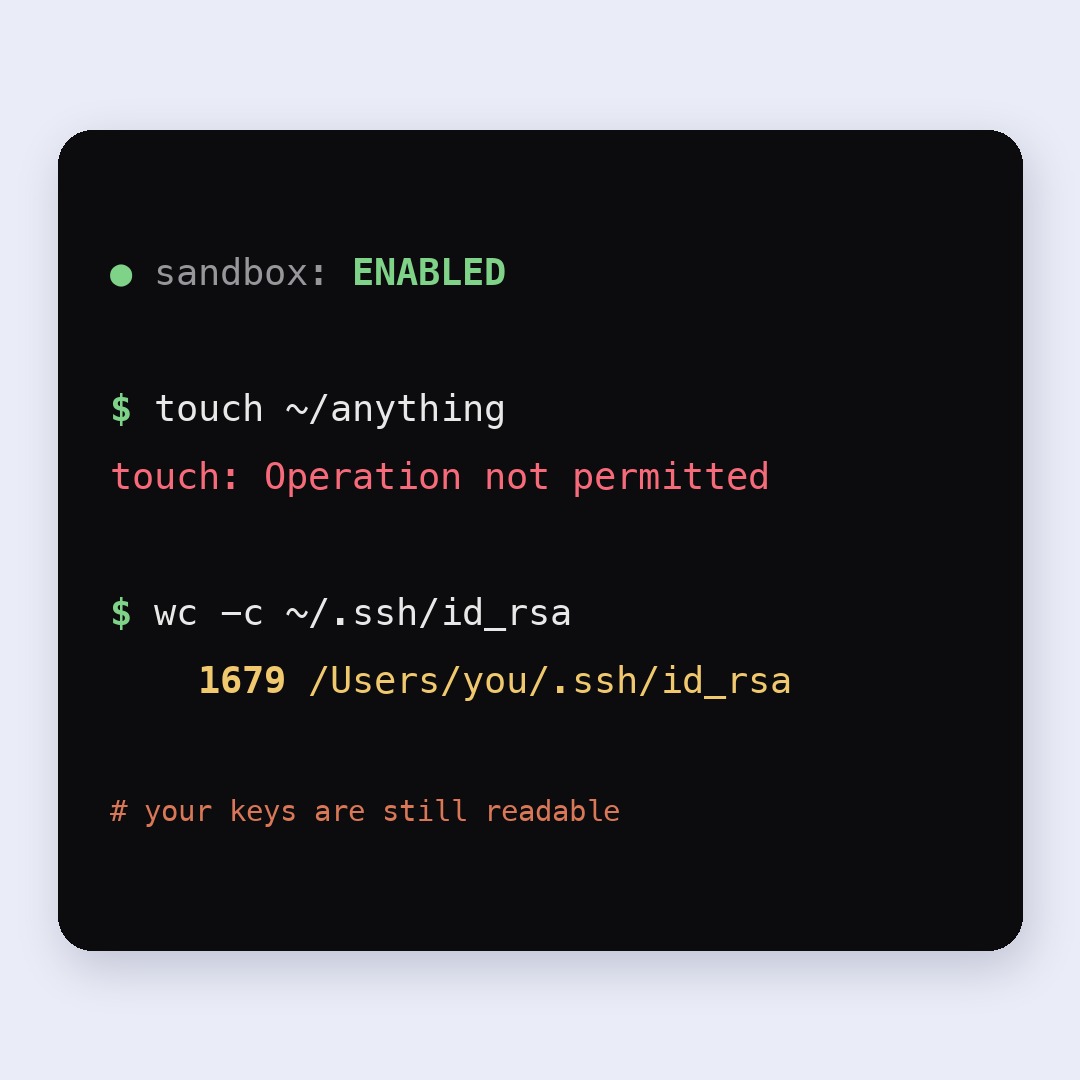
$ touch ~/sandbox-probe-delete-me
touch: /Users/simion/sandbox-probe-delete-me: Operation not permitted
Kernel said no. Nothing on disk. The sandbox is working exactly as advertised.
Now read:
$ wc -c ~/.ssh/id_rsa
    1679 /Users/simion/.ssh/id_rsa
1679 bytes of private key, fully readable, from inside the sandbox, with auto-allow on so nobody was asked anything.
And the environment:
$ printenv GITHUB_TOKEN
ghp_fake_value_for_testing_123
That’s not a bug. It’s documented. From the sandboxing docs:
Default read behavior: read access to the entire computer, except certain denied directories. Note that this default still allows reading credential files such as
~/.aws/credentialsand~/.ssh/.
And, two paragraphs later:
There is no built-in credential deny list, so only the files and variables you list are restricted.
Anthropic documents this honestly. The problem is that “sandbox: ENABLED” is a very calming phrase and approximately nobody scrolls to the Protect credentials section before feeling safe.
Hole 1: reads are wide open
The threat model here isn’t a scheming model. It’s the same one as the destructive command hook: prompt injection. Agent reads a dependency README, a GitHub issue, a scraped page. That text tells it to read a key and post it somewhere. Filesystem cage says nothing, because reading was never restricted.
Fix, in ~/.claude/settings.json:
{
  "sandbox": {
    "enabled": true,
    "credentials": {
      "files": [
        { "path": "~/.ssh", "mode": "deny" },
        { "path": "~/.aws", "mode": "deny" },
        { "path": "~/.gnupg", "mode": "deny" },
        { "path": "~/.netrc", "mode": "deny" },
        { "path": "~/.kube", "mode": "deny" },
        { "path": "~/.config/gh/hosts.yml", "mode": "deny" },
        { "path": "~/Library/Keychains", "mode": "deny" }
      ]
    }
  }
}
Same probe, same key, hardened config:
$ wc -c ~/.ssh/id_rsa
wc: /Users/simion/.ssh/id_rsa: open: Operation not permitted
deny entries merge across every settings scope and can never be removed by a narrower scope, so a repo you clone can’t quietly re-open ~/.ssh. That part is well designed.
The alternative is inverting the whole policy with filesystem.denyRead: ["~/"] plus allowRead: ["."], which is stricter and breaks more. Start with the credential list.
Hole 2: your environment walks straight in
Sandboxed Bash inherits the parent environment verbatim. Every token in your shell profile is sitting in printenv for any command the agent runs. The filesystem cage is irrelevant if the secret was never on disk.
"credentials": {
  "envVars": [
    { "name": "GITHUB_TOKEN", "mode": "deny" },
    { "name": "NPM_TOKEN", "mode": "deny" },
    { "name": "AWS_SECRET_ACCESS_KEY", "mode": "deny" },
    { "name": "ANTHROPIC_API_KEY", "mode": "deny" }
  ]
}
deny unsets the variable, which also breaks gh and npm publish if the agent needs them. For those, use "mode": "mask": the command sees a per-session sentinel, and the sandbox proxy swaps in the real value only on requests to hosts you list in injectHosts. Masking needs network.tlsTerminate set, because the proxy has to see the request body to do the substitution. Without it, it fails closed and your auth just breaks, which is at least the safe direction.
Verified on the shipped config, token set in the parent shell:
$ printenv GITHUB_TOKEN || echo NO_TOKEN
NO_TOKEN
Hole 3: the cage has a door, and it’s unlocked
This one I did not reproduce, I read it. Straight from the docs: when a command fails because of sandbox restrictions, Claude analyzes the failure and may retry it with dangerouslyDisableSandbox. Outside the cage. It falls back to the normal permission flow, so you get a prompt in default mode, but if you’re in auto mode a classifier decides instead of you, and if you’re in the habit of hammering approve you’ve just approved the one command the kernel already refused.
"sandbox": {
  "allowUnsandboxedCommands": false,
  "failIfUnavailable": true
}
First one kills the escape hatch entirely. Second one matters more than it looks: by default, if the sandbox can’t start (missing bubblewrap on Linux, unsupported platform, WSL1) Claude Code prints a warning and runs everything unsandboxed anyway. A warning you’ll scroll past. failIfUnavailable turns a silent downgrade into a hard stop.
The one everybody misses: Read and Edit aren’t sandboxed at all
The sandbox isolates Bash subprocesses. Claude’s own file tools go through the permission system instead. So Read on ~/.ssh/id_rsa isn’t caged, it’s just a permission check, and no default deny rule exists for it.
Belt and braces:
"permissions": {
  "deny": [
    "Read(~/.ssh/**)",
    "Read(~/.aws/**)",
    "Read(~/.gnupg/**)",
    "Read(~/.kube/**)",
    "Read(//**/.env)",
    "Read(//**/.env.*)"
  ]
}
Path syntax gotcha that will cost you an hour: //path is absolute from the filesystem root, ~/path is home-relative, and a single leading slash like /Users/alice/x anchors at the settings file’s directory, not at /. So Read(//**/.env) matches every .env on the disk, and Read(/Users/alice/.ssh/**) in your user settings matches approximately nothing.
Deny rules resolve symlinks, so a ./project/key pointing at ~/.ssh/id_rsa is blocked too.
Why you’re not already leaking
Network isolation. No domains are pre-allowed, and the proxy blocks everything else, so a read with nowhere to go is a read that stays home. In headless mode a blocked host just fails:
$ curl -s -m 10 -o /dev/null -w "%{http_code}" https://example.com
000    (exit 56)
That’s the layer doing the actual work, which is exactly why the first time you get bored and allow github.com wholesale, you’ve handed back the exfil path. The proxy makes its decision from the client-supplied hostname and doesn’t inspect TLS by default, so a broad allow is a broad allow, domain fronting included. Anthropic says so in the limitations section. Allow api.github.com, not *.github.com.
Reads open, one wide domain allowed, and you’re back to where you started with a green shield in the corner.
What will break, and the fix
Everything below is documented, I’m just collecting it so you don’t rediscover it at 1am.
| Symptom | Fix |
|---|---|
docker anything fails | excludedCommands: ["docker *"], it’s incompatible |
gh, gcloud, terraform fail TLS verify on macOS | Go TLS stack vs Seatbelt, add to excludedCommands |
jest hangs forever | jest --no-watchman |
open or a browser auth flow fails with error -600 | allowAppleEvents: true, but it removes code-execution isolation, prefer excludedCommands |
| Build writes outside the project | filesystem.allowWrite: ["~/.cache/whatever"], don’t exclude the whole tool |
| Your dev server can’t reach the DB | Only deny env vars that are secrets. DATABASE_URL in a dev setup usually isn’t one |
Reach for excludedCommands last. Every entry is a command that runs with your full identity, and the list merges across scopes with no managed-only lockdown, so it only ever grows.
The whole thing
{
  "sandbox": {
    "enabled": true,
    "autoAllowBashIfSandboxed": true,
    "allowUnsandboxedCommands": false,
    "failIfUnavailable": true,
    "credentials": {
      "files": [
        { "path": "~/.ssh", "mode": "deny" },
        { "path": "~/.aws", "mode": "deny" },
        { "path": "~/.gnupg", "mode": "deny" },
        { "path": "~/.netrc", "mode": "deny" },
        { "path": "~/.kube", "mode": "deny" },
        { "path": "~/.docker/config.json", "mode": "deny" },
        { "path": "~/.config/gh/hosts.yml", "mode": "deny" },
        { "path": "~/.config/gcloud", "mode": "deny" },
        { "path": "~/.npmrc", "mode": "deny" },
        { "path": "~/.pypirc", "mode": "deny" },
        { "path": "~/.claude.json", "mode": "deny" },
        { "path": "~/Library/Keychains", "mode": "deny" }
      ],
      "envVars": [
        { "name": "GITHUB_TOKEN", "mode": "deny" },
        { "name": "GH_TOKEN", "mode": "deny" },
        { "name": "NPM_TOKEN", "mode": "deny" },
        { "name": "AWS_ACCESS_KEY_ID", "mode": "deny" },
        { "name": "AWS_SECRET_ACCESS_KEY", "mode": "deny" },
        { "name": "AWS_SESSION_TOKEN", "mode": "deny" },
        { "name": "ANTHROPIC_API_KEY", "mode": "deny" },
        { "name": "OPENAI_API_KEY", "mode": "deny" },
        { "name": "GEMINI_API_KEY", "mode": "deny" },
        { "name": "STRIPE_SECRET_KEY", "mode": "deny" },
        { "name": "SENTRY_AUTH_TOKEN", "mode": "deny" },
        { "name": "CLOUDFLARE_API_TOKEN", "mode": "deny" }
      ]
    }
  },
  "permissions": {
    "deny": [
      "Read(~/.ssh/**)",
      "Read(~/.aws/**)",
      "Read(~/.gnupg/**)",
      "Read(~/.netrc)",
      "Read(~/.kube/**)",
      "Read(~/.config/gh/**)",
      "Read(~/.config/gcloud/**)",
      "Read(~/.npmrc)",
      "Read(~/.claude.json)",
      "Read(//**/.env)",
      "Read(//**/.env.*)"
    ]
  }
}
Drop it in ~/.claude/settings.json, restart, run /sandbox and check the Config tab. Or run the one-liner, which merges this into whatever you already have.
Sandbox and the destructive command hook do different jobs and stack fine. The hook is a blocklist on the command string, it catches rm -rf / before dispatch and tells the model why. The sandbox is an allowlist enforced by the kernel, it catches everything the blocklist author didn’t think of. Run both.
The uncomfortable part
I built this same cage for Termic, my open-source app for running claude / codex / agy in parallel worktrees, before Claude Code had one. Per-workspace Seatbelt profile, per-task CONNECT proxy with a per-CLI hostname allowlist, ~/.ssh and friends hard-denied. Two years of Simon Willison posts will do that to you.
Then someone filed an issue showing that markdown preview would happily render . No click, no prompt, agent fully caged and unable to reach that host, and the webview fetched it anyway as the app itself. My proxy never saw the request because the request wasn’t the agent’s.
Which is the actual lesson. A sandbox covers exactly what it says it covers. Claude Code’s covers Bash subprocesses, its own docs say so, and everything outside that sentence is your problem. Read the limitations section of whatever cage you’re trusting, and then go look at what’s standing next to it.